
START WITH THE SPACE
A room full
of possibility.
Pick a venue and an occasion. Start with a layout that leaves room for entrances, conversations and everything in between.
Find your spaceA LITTLE PLANNING. A LOT TO LOOK FORWARD TO.
The first dance. The next big idea. That conversation that lasts all evening. Give it a place with a plan that feels like you.
Start your gathering Free to use · no account neededYour space. Your kind of occasion.
Live vector preview using the planner’s actual layouts.
START WITH THE SPACE
Pick a venue and an occasion. Start with a layout that leaves room for entrances, conversations and everything in between.
Find your spaceMAKE IT YOURS
Drag, resize and rotate. Make the dance floor bigger, add a high top, or give your workshop some breathing room. Undo is there when you need it.
Mouse, touch and keyboardBRING YOUR PEOPLE
Add your guest list, find the right table for each person, and keep the details close. A high chair here. A dietary note there. The little things make people feel welcome.
Guest lists & table notesPASS THE PLAN ALONG
Copy a link to this exact layout, send an editable file for offline use, or export a fillable PDF. Each handoff is a snapshot they can make their own.
Try it for yourselfWINDOWS ON THE RIVER
Architectural drawings, made easier to plan with. Choose a room to preview it above, then open its wedding, gala, workshop or cocktail starter.
Previewing River View · Wedding
Plan in this space ↗Starter seat counts are examples, not maximum capacities. Confirm dimensions, furniture and access routes with the venue. The original sheets remain available in the planner.
 WINDOWS ON THE RIVER · THE REAL SPACES
FROM FLOORPLAN TO FEELING
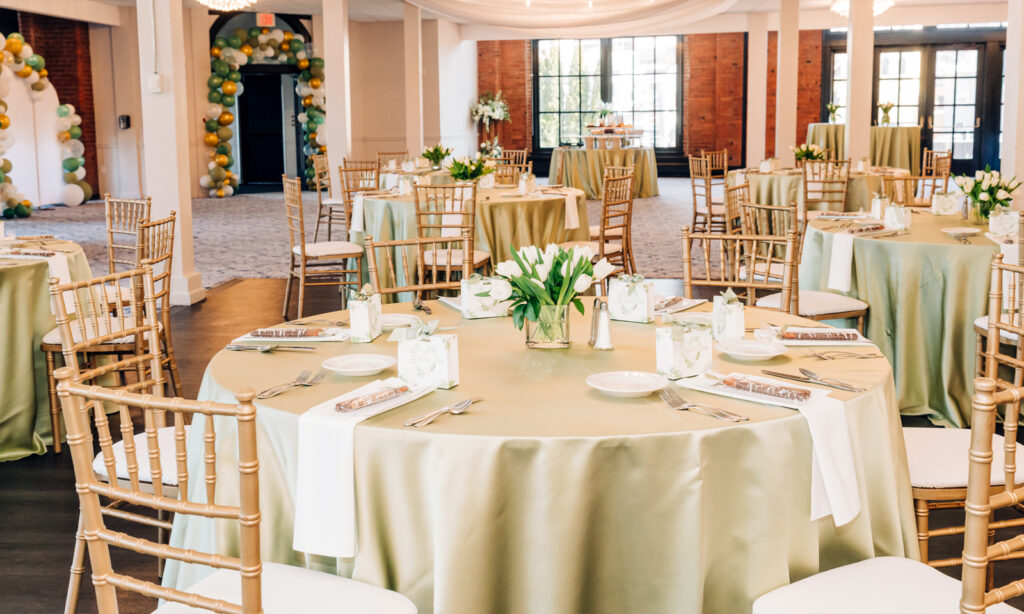
See the windows, the brick, the light. Explore venue photos and the 360° tour, then orbit a 3D concept of your chosen starter layout.
Photos: Windows on the River. The tour loads from Threshold 360 only when you choose to open it. Your plan stays on your device.
A SMALLER DIGITAL FOOTPRINT
Your guest names, notes and uploaded floorplans stay in your browser. Save a copy to keep or share. The app doesn’t need an account, a database or a subscription.
Shared files contain the details you include. Send them to your intended recipients. Copies don’t sync automatically.
BEFORE YOU PULL UP A CHAIR
Yes. Share creates a snapshot link or an editable HTML file. A link opens the plan in the browser; an HTML file also works offline on a desktop. Your customer can edit, then send you a new link or file. Changes do not sync automatically.
Yes. Export a fillable PDF with event details, table names, seat counts, guest fields and notes. PDF edits don’t synchronize with the planner; use the editable HTML file when you want to continue arranging the layout.
Upload a PNG, JPG or WebP from your device. The app processes it locally. Start with a blank canvas if you’d rather build your own room layout.
Choose Wedding, Banquet / gala, Workshop or Cocktail reception. Each changes the planner’s colors and mood, with a different starter layout for each of the five venues.
The planner can remember one plan on this device. Download a backup before clearing browser data or switching devices. Shared HTML files default to local saving off, so download a new copy to keep your edits.
YOUR NEXT GATHERING STARTS HERE
Free to use. Yours to arrange.